
Docklight Scripting for IoT / TCP / UDP – Simulation and Test
Docklight Scripting is an extended edition of the Docklight RS232 Terminal / RS232 Monitor. It can establish TCP connections (TCP client mode), accept a TCP connection on a local port (TCP server mode), or act as a UDP peer IoT terminal.
Docklight Scripting is a reliable, effective and easy to learn tool for debugging network-enabled devices and IoT (Internet of Things) applications that provide single endpoint-to-endpoint connections. Typical Docklight Scripting uses within IoT / networking applications include:
- Testing your server application without writing additional client software
- Testing your client application with Docklight acting as server
- Testing your application protocol before implementation
Docklight Scripting – Networking and IoT-Related Functions
Simulating application layer protocols Using Docklight Scripting as an IoT terminal you can send out user-defined sequences according to the protocol used and it can react to incoming sequences. Developers of a server application can use Docklight Scripting as a test client.
Logging communication data
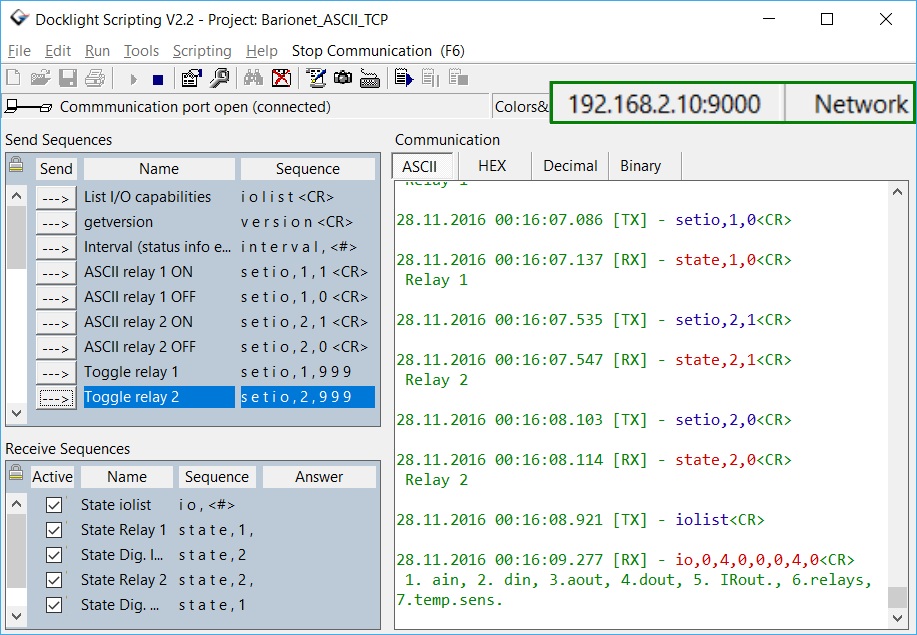
All communication data can be logged using two different file formats: use plain text format for fast logging and storing huge amounts of data. Or create a HTML file with styled text that lets you easily distinguish between incoming and outgoing data or additional information.
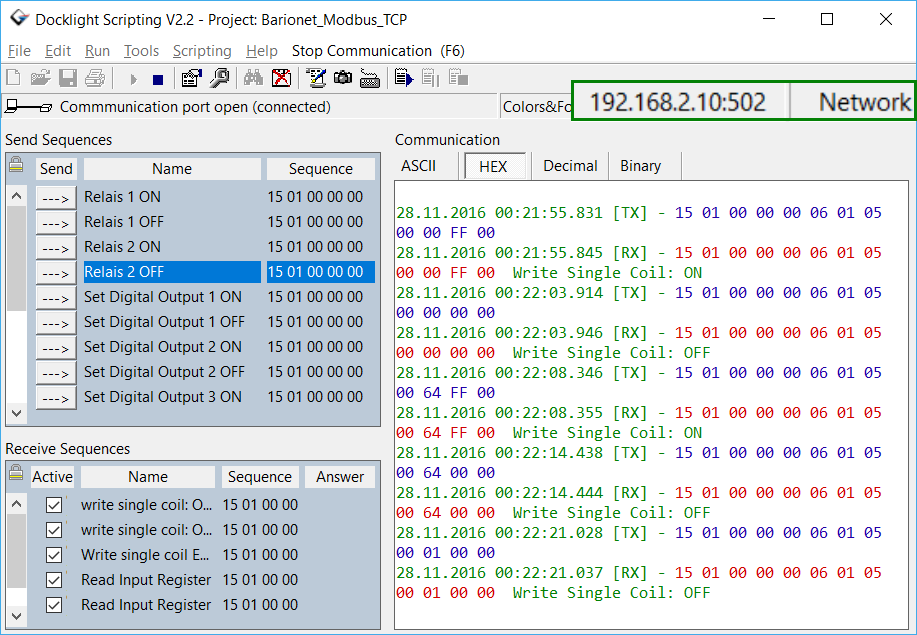
The screenshot on the left shows a MODBUS TCP session between Docklight and a Barionet network automation controller.
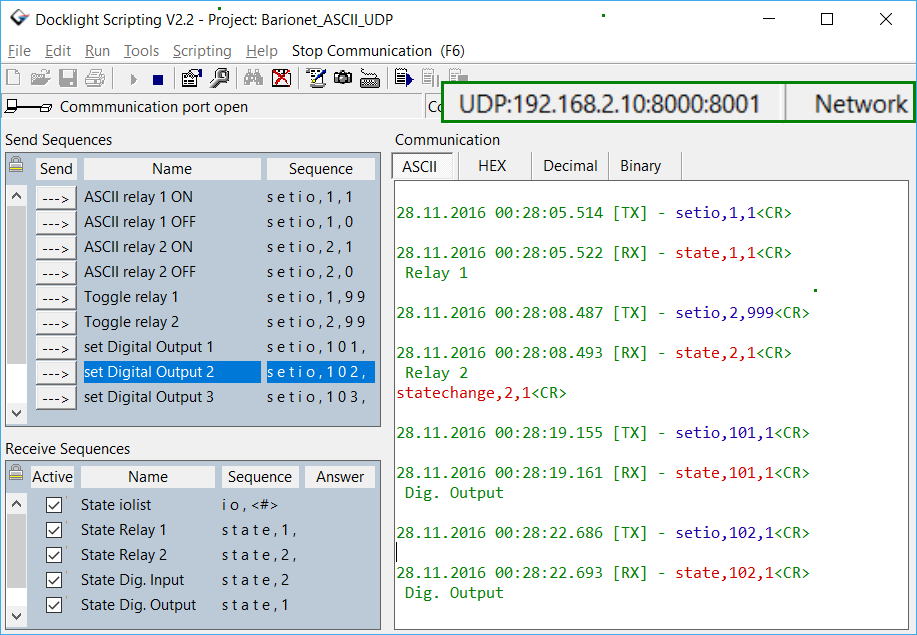
Detecting specific data sequences In many test cases you will need to check for a specific sequence within the logged data that indicates a certain condition. With Docklight Scripting as your IoT terminal you can manage a list of such data sequences and Docklight is able to perform user-defined actions after detecting a sequence, e.g. inserting additional command descriptions as shown in the UDP communication example on the right.
Monitoring TCP connections
With Docklight Scripting as your IoT terminal you can monitor and debug a TCP-based application with the same ease as when using RS232 ports and cables.
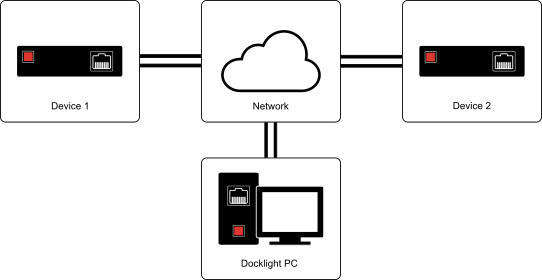
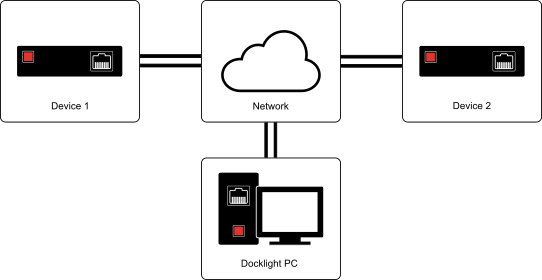
Similar to using a Docklight Tap between two serial devices, you can run Docklight Scripting within your network and simply have the client connect to Docklight Scripting instead of the original server device. E.g.:
- Device 1 - is configured to connect to IP 192.0.0.1, TCP port 3001
- Docklight PC has IP 192.0.0.1, Docklight Scripting settings: Monitoring Mode - SERVER:3001, 192.0.0.2:3001
- Device 2 - is a TCP server with IP 192.0.0.2, Port 3001
Docklight Scripting – What it is not
Please note that Docklight Scripting is not a network protocol analyzer. It works on the application layer only, acting as a client or server within a network.
It is NOT a troubleshooting tool for network problems, like the well known Wireshark® (Ethereal®) network protocol analyzer.